Translate PDF Free Online
Upload a PDF, translate it to any language instantly. Free, fast, and 100% private.
Drop your PDF here
or choose file
Translate PDF Free Online: Convert Documents Into Any Language Instantly
Reading a PDF in a language you don’t understand is one of the most common frustrations people run into online. Whether it’s a research paper, a business contract, an academic certificate, or a simple instruction manual, language barriers can turn a two-minute task into a stressful guessing game. That’s exactly the problem our translate PDF free online tool is built to solve a fast, browser-based way to convert the text inside your PDF into the language you actually need, without paying for software or waiting on a translator.
In this guide, you’ll learn how to translate PDF documents online, what to look for in a good PDF translator free tool, how PDF translation actually works behind the scenes, and how to avoid the common mistakes that lead to garbled, unusable results.
Why Translating a PDF Is Different From Translating Plain Text
At first glance, translating a PDF might seem identical to pasting text into a translation box. In practice, it’s more complicated, and that’s exactly why purpose-built PDF translation tools exist.
PDF Text vs. Plain Text Comparison
| Feature | Plain Text Translation | PDF Document Translation |
|---|---|---|
| Layout Preservation | Not applicable | Retains columns, tables, and page structure |
| Formatting | Lost automatically | Fonts, bold/italic, and spacing can be preserved |
| Multi-page Handling | Manual copy-paste per section | Entire document translated in one pass |
| Images & Diagrams | Not relevant | Preserved alongside translated text |
| Scanned Documents | Cannot process | Requires OCR before translation is possible |
A PDF isn’t just text — it’s a structured document with a fixed layout, embedded fonts, tables, and sometimes scanned images instead of selectable text. A proper PDF document translation tool needs to extract the text accurately, translate it, and then reconstruct a readable document, rather than dumping raw translated text with no formatting.
How to Translate a PDF Online for Free: Step-by-Step
You don’t need expensive desktop software or a professional translation service for everyday documents. A free PDF translation tool running in your browser can handle most personal, academic, and business use cases in a few simple steps.
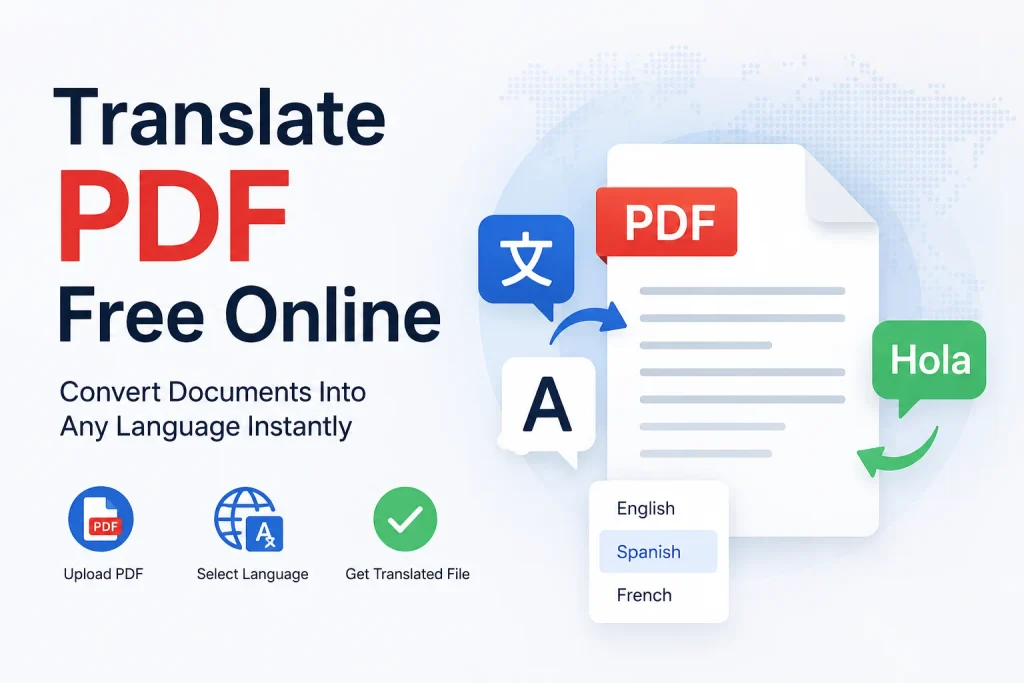
[ Your PDF File ] ---> [ Upload to Online Translator ] ---> [ Select Target Language ] ---> [ Download Translated PDF ]Quick Step-by-Step Instructions
- Upload Your PDF: Open your browser and go to a trusted translate PDF free online tool. Drag and drop your file or select it from your device.
- Choose Source and Target Language: Most tools automatically detect the source language, but you can manually select it if needed. Then pick the language you want the document translated into.
- Start the Translation: Click the translate button and let the tool extract, process, and translate the text inside your PDF.
- Review the Output: Skim through the translated document to check that formatting, tables, and key terms look correct.
- Download Your Translated PDF: Save the finished file directly to your device, ready to share, print, or submit.
This workflow works the same whether you’re on a laptop, a tablet, or a phone, which makes it especially convenient when you need to translate PDF to English (or any other language) on the go, without switching to a desktop computer.
What Makes a Good Free PDF Translator
Not all tools that promise to translate PDF online deliver accurate, usable results. Here’s what actually matters when choosing one:
- Accurate Text Extraction: The tool must correctly pull text out of the PDF, including from multi-column layouts, tables, and footnotes, without scrambling the reading order.
- OCR Support for Scanned PDFs: If your PDF is a scanned image rather than selectable text, the tool needs built-in Optical Character Recognition (OCR) to first convert the image into text before translation can happen.
- Formatting Retention: A quality translator keeps your document looking like a document — preserving headings, bullet points, and table structure — rather than returning a single unformatted wall of text.
- Wide Language Support: Look for tools that support a broad range of languages, including less common ones, not just the handful of major world languages.
- No File Size or Page Limits (or Generous Ones): Many free tools cap how many pages or how large a file you can process before pushing you toward a paid plan. A genuinely useful free tool keeps these limits reasonable for everyday documents.
- Privacy and Security: Since PDFs often contain personal, legal, or financial information, the tool should process your file securely and avoid retaining it longer than necessary.
Common Situations Where People Need to Translate a PDF
Understanding real-world use cases helps explain why a dedicated PDF translator free tool is so widely searched for:
- Students and Researchers: Translating foreign-language academic papers, textbooks, or research PDFs to understand and cite them correctly.
- Job Seekers and Professionals: Translating certificates, transcripts, or reference letters issued in another language for job applications abroad.
- Business and Legal Use: Reviewing contracts, invoices, or compliance documents sent by international partners or clients.
- Travelers: Translating hotel bookings, visa documents, or government forms received in a foreign language.
- Immigrants and Expats: Understanding official paperwork, medical forms, or legal notices in a new country’s primary language.
- Everyday Readers: Simply wanting to read an interesting PDF — an e-book, article, or guide — that happens to be written in a language they don’t speak fluently.
Translating Scanned PDFs vs. Text-Based PDFs
One of the most important distinctions in PDF document translation is whether your file is a text-based PDF or a scanned image saved as a PDF.
Text-based PDFs contain selectable, searchable text. These are the easiest to translate because the tool can directly extract the words and send them for translation.
Scanned PDFs are essentially photographs or scans saved in PDF format. There is no selectable text — just a picture of a page. To translate these, a tool first needs to run OCR to recognize the characters in the image and convert them into machine-readable text. Only after that step can translation happen. If you’ve ever tried to translate PDF to English and gotten an error or an empty result, it’s often because the tool didn’t support OCR and couldn’t “read” a scanned page.
If you’re unsure which type of PDF you have, try selecting some text on the page. If you can highlight individual words, it’s a text-based PDF. If clicking only selects the whole page like an image, it’s a scanned document that will need OCR processing first.
Tips for Getting Better Translation Results
Machine translation has improved dramatically, but a few habits will noticeably improve the quality of your translated PDF:
- Use Clean Source Files: Blurry scans or low-resolution images reduce OCR accuracy, which then reduces translation accuracy. Start with the clearest version of the document you have.
- Break Up Very Long Documents: If your tool struggles with extremely large files, splitting a lengthy PDF into smaller sections can improve processing speed and reliability.
- Double-Check Technical or Legal Terms: Automated translation is excellent for general content but can occasionally misinterpret specialized legal, medical, or technical terminology. For high-stakes documents, have a knowledgeable person review key sections.
- Preserve the Original: Always keep your original PDF alongside the translated version, especially for official documents, in case the source wording is later needed for verification.
- Check Formatting After Translation: Translated languages often take up more or less space than the original. Quickly scan the output to make sure tables and layouts still look correct.
Free vs. Paid PDF Translation Tools
Many people wonder whether a free PDF translation tool can really compete with paid services. For the vast majority of everyday needs — reading a document, understanding a contract’s general meaning, translating a certificate for informal use — free online tools are more than capable.
Paid or professional human translation services still make sense when:
- The document is legally binding and requires a certified translation
- The subject matter is highly technical, medical, or specialized
- You need a translator who can certify accuracy for immigration, court, or government submission
- The document will be published or distributed publicly and needs polished, native-level phrasing
For nearly everything else personal use, quick understanding, internal business review, or academic research a free translate PDF online tool gets the job done quickly and at no cost.
Frequently Asked Questions
Is it safe to translate a PDF online for free?
Reputable tools process your document securely and typically delete uploaded files after a short period. Avoid uploading highly sensitive documents (like financial records or legal identification) to unfamiliar tools, and prefer services that clearly explain their data handling practices.
Can I translate a PDF without losing the original formatting?
Yes, quality PDF translation tools are designed to preserve the original layout, including headings, bullet points, and tables, so the translated document looks as close as possible to the source file.
Does PDF translation work on scanned documents?
Only if the tool includes OCR (Optical Character Recognition). Without OCR, a scanned PDF is treated as an image, and there’s no text for the tool to translate. Look specifically for tools that mention OCR support if you’re working with scanned files.
How accurate is free online PDF translation?
For general content, modern machine translation is quite accurate and continues to improve. However, for legal, medical, or highly technical documents, it’s wise to have a knowledgeable person review important sections rather than relying solely on automated translation.
Can I translate a PDF into multiple languages at once?
Most tools translate into one target language per pass, but you can simply repeat the process to generate versions in additional languages from the same source file.